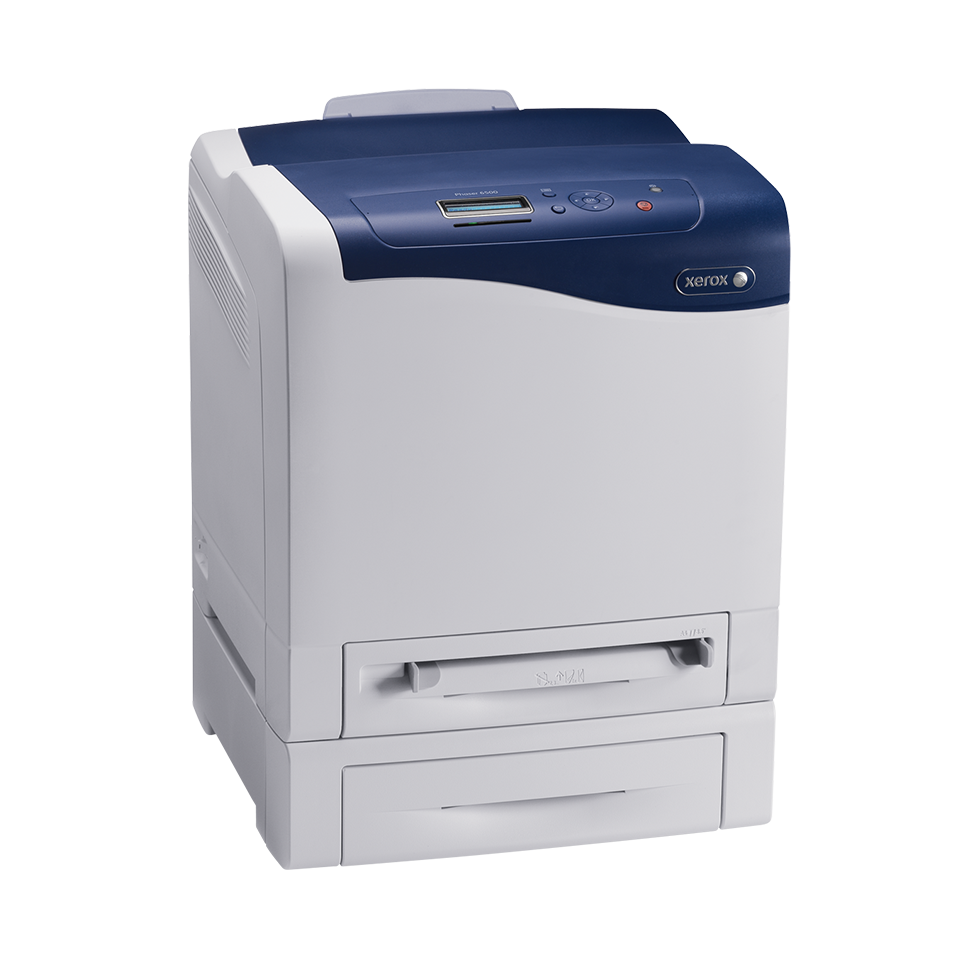
Office EquipmentPrintersColour PrintersPhaser 6500
Phaser 6500 - The right colours, the easy way.

Share this page:

Phaser™ 6500 at a glance

Model 6500/N 6500/DN
Starting at $359
(after $120 rebate)
$449
(after $140 rebate)
Print Speed Colour: up to 24 ppm
Black: up to 24 ppm
Colour: up to 24 ppm
Black: up to 24 ppm
Duty cycle Up to 40,000 images/monthUp to 40,000 images/month
Two-sided output OptionalStandard
Maximum print resolution Up to 600 x 600 x 4 dpiUp to 600 x 600 x 4 dpi
Security features 802.1x, Audit log, IP filtering, IPSec, IPv6, SNMPv3, Secure HTTPS (SSL)802.1x, Audit log, IP filtering, IPSec, IPv6, SNMPv3, Secure HTTPS (SSL)
Connectivity 10/100/1000 BaseT Ethernet, USB 2.010/100/1000 BaseT Ethernet, USB 2.0
Page Description Languages (PDL) Adobe PostScript® 3™, PCL® 6 emulationAdobe PostScript® 3™, PCL® 6 emulation
Detailed specifications
Next Steps


Quick Facts - Phaser 6500
  • The Phaser 6500 starts at $359.
  • Colour: up to 24 ppm
    Black: up to 24 ppm
  • Maximum paper size: 8.5 x 14 in.
  • Print resolution: up to 600 x 600 x 4 dpi
  • Standard paper capacity: Tray 1: 250 sheets
  • Maximum paper capacity: 500 sheets
  • 400 MHz processor
  • 256 MB memory standard, 768 MB maximum
  • Windows (including Windows 7) and Mac compatible
  • Minimum dimensions (w x d x h): 15.9 x 16.75 x 16.4 in.
  • Power requirements: 120 V, 50/60 Hz
  • What comes in the box
  • Also need to copy, scan or fax?
Competitive Edge - Phaser 6500
  • Outstanding print quality with a print resolution of up to 600 x 600 x 4 dpi
  • A smaller footprint means you can locate the Phaser 6500 where it’s most convenient
  • Toner-only cartridges allow for 80% less waste than comparable colour devices using integrated print cartridges
Print Quality Features - Phaser 6500
  • A print resolution of up to 600 x 600 x 4 dpi delivers an amazing 16 shades of colour per pixel. That means a wider colour range for more impressive business graphics
  • Unique Xerox EA toner technology gives you crisp text and printed images with superior detail and clarity. It’s the same high-quality toner used in our professional graphic-arts colour devices
  • True Adobe® PostScript® 3™ means you can count on consistently precise print jobs with bright, true colours and superior graphics
Reliability and Ease-of-use Features - Phaser 6500
  • The intuitive LCD user interface features a convenient gauge that shows current toner levels at a glance
  • The CentreWare IS internal web server makes it easy to handle device administration right from your computer’s browser
  • Outstanding reliability is backed by Xerox with a one-year on-site warranty and Xerox Total Satisfaction Guarantee
Productivity Features - Phaser 6500
  • The value-packed Phaser 6500 colour printer means serious business for your workteam, providing real-world print productivity and a host of built-in features
  • Superior performance gets your jobs out quickly, with print colour and black-and-white print speeds up to 24 ppm
  • A powerful 400 MHz processor and 256 MB standard memory handle your workteam’s demanding workload — even multipage print jobs with graphics, photos and charts
Environmentally Responsible Features - Phaser 6500
  • Print more, use less. Whether you choose manual two-sided printing, or upgrade to convenient automatic duplexing, you’ll conserve paper for reduced costs and increased sustainability
  • With minimal packaging, our toner-only cartridges allow for 80% less waste than comparable colour devices using integrated print cartridges, and also let you easily store backup toner in a desk drawer
  • A small footprint allows for easy integration within your work space, whether on your desk or in a shared location
Product Reviews
Phaser 6500 3.6 5 8 8
outstanding photo quality I have an older color printer that I thought did a great job printing my color photos. My old printer is no match for the quality photos that I can produce from my new 6500 color printer. May 16, 2012
Phaser 6500 is the best colour laser printer yet Like my previous Phaser printers the 6500 makes great low-cost copies as the toner cost is low but the print quality is high. I like the small foot-print with the printed copy tray safely on top of the printer instead of sticking out where people passing by snap off the tray. The same for the paper tray and the envelope feeder. They don't stick out and are thus not susceptible to breaking. The toner access door will make changing toner easy. Very elegant mechanical design and very attractive on the outside. May 10, 2012
A little marvel for our home office After years of frustration with inkjet printers, I finally picked up a brand new 6500DN unit for an unbelievable bargain price a little over a month ago and couldn't be more pleased. We've found the print quality to be outstanding, to the point that we don't miss our inkjet at all even for graphics and photos (especially when using laser photo paper). Plus, setup was a breeze both on Win7 and Linux, even going through a 3rd party wireless media bridge. Great price, outstanding quality, easy setup, wireless printing, and most of all: no more dried ink cleaning cycles! Thank you Xerox! The only downside would be that this printer's consumables costs a little more per page than other colour lasers, but that's still peanuts compared to the amount of money we'd been wasting on ink. In any case, as we don't print high volume the difference won't be much of a difference at all to us. May 9, 2012
Very Frustrating Product I have had this machine for about 9 months. No matter what I do the magenta is out of register. If I use the auto-register feature nothing changes and if I manually set it is OK for a day or two then reverts to being out again. Also prints random yellow lines out of the intended image area; no idea how to fix that. Have only used Xerox brand cartridges so that's not it. The driver keeps crashing and I have to restart the print spooler every few minures and the paper output can only handle two pages than jams because the paper (standard 20 pound# curls and blocks the exit #too much heat?) What a disapointing machine and waste of money. I have had many printers and have never experienced issues even close to this with any other manufacturer's product. Will probably end up in the recycle pile once the cartridges have run out. March 7, 2012
great printer I have had excellent results with this printer. The ink dries smooth and clearly. It prints fast and native in postscript so InDesign natives print 1000x faster than on my last printer. The only issue I have had is with a light band printing on the right hand side of the page. October 19, 2011
Easy Mac setup I replaced my old Mac Laserwriter II after 10 years of use. Plugged the color printer into my Time Capsule, loaded the driver, and it works beautifully. August 30, 2011
Worth the money So far very reliable. Wakes up fast enough from hibernate mode and the printing quality is good enough for daily use. Pretty easy to setup in network aswell. August 30, 2011
Very annoying Impossible to get the printer to collate when printing multiple copies. Very annoying indeed. Print 3 copies and you 3 copies of page 1, then 3 of page 2, etc. Great printer if you're into manual labour. July 4, 2011
1-8 of 8


  See product overview
Software Solutions - Phaser 6500
Digitize . . . Organize . . . Distribute . . . Collaborate

With digital documents, you can easily create, search, re-use, and build upon your documents. Maximize your hardware investments with innovative software solutions from Xerox and Xerox Business Partners:
  • Contain costs
  • Share knowledge
  • Accelerate workflow
  • Integrate paper and electronic documents
  • Manage and distribute documents effectively
 Show me the Software Solutions

Estimated retail price in Canadian dollars. Dealers may sell for less. Prices do not include applicable taxes and are subject to change without notice. Shipping and handling not included.

1 Average standard pages. Declared Yield in accordance with ISO/IEC 19798. Yield will vary based on image, area coverage and print mode.